 ALKNETWORK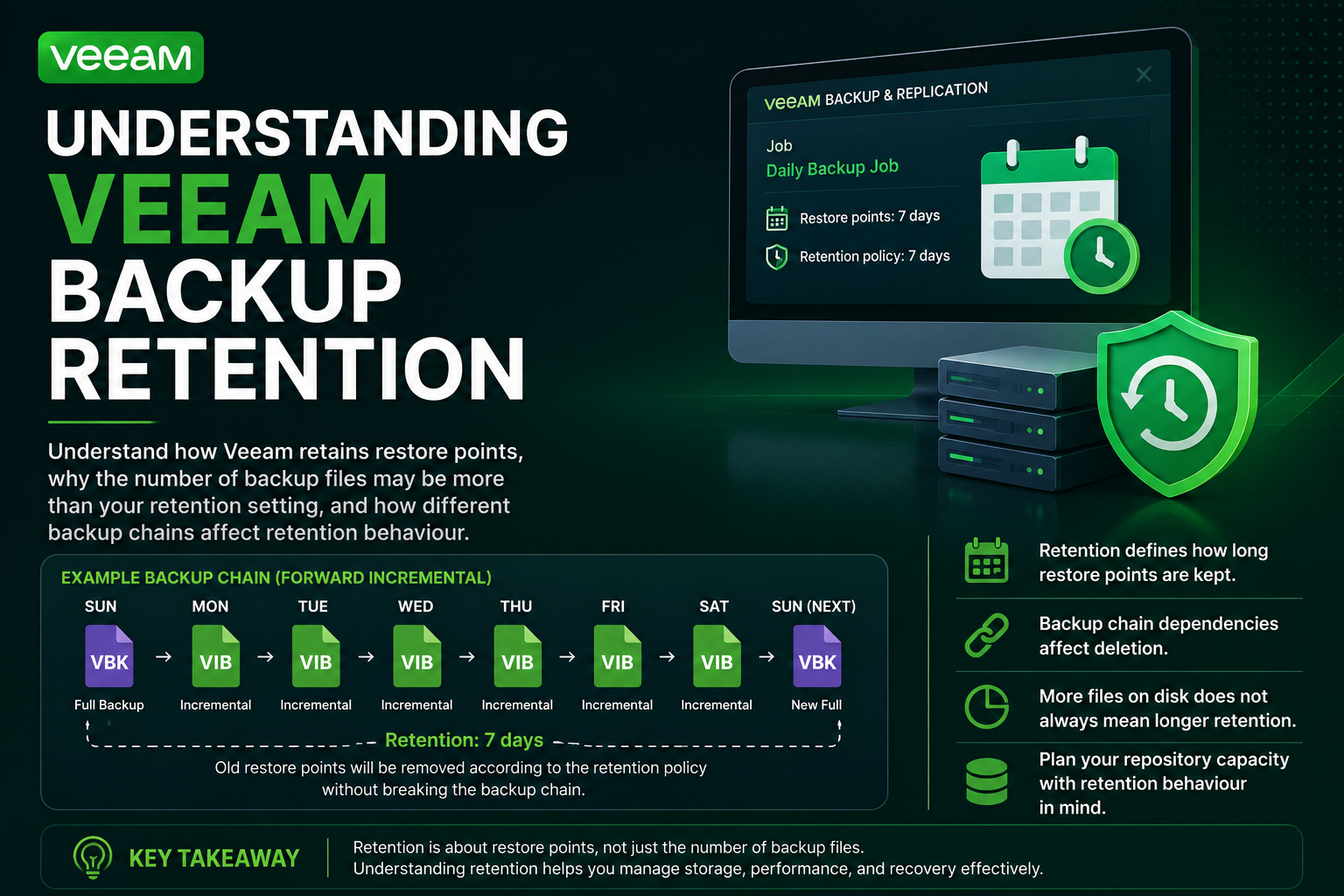
What is Backup Retention?
In simple terms, retention tells Veeam how far back you want to be able to restore your VM.
For example, if the retention is configured for 7 days, Veeam is configured to retain restore points covering the recent 7-day period.
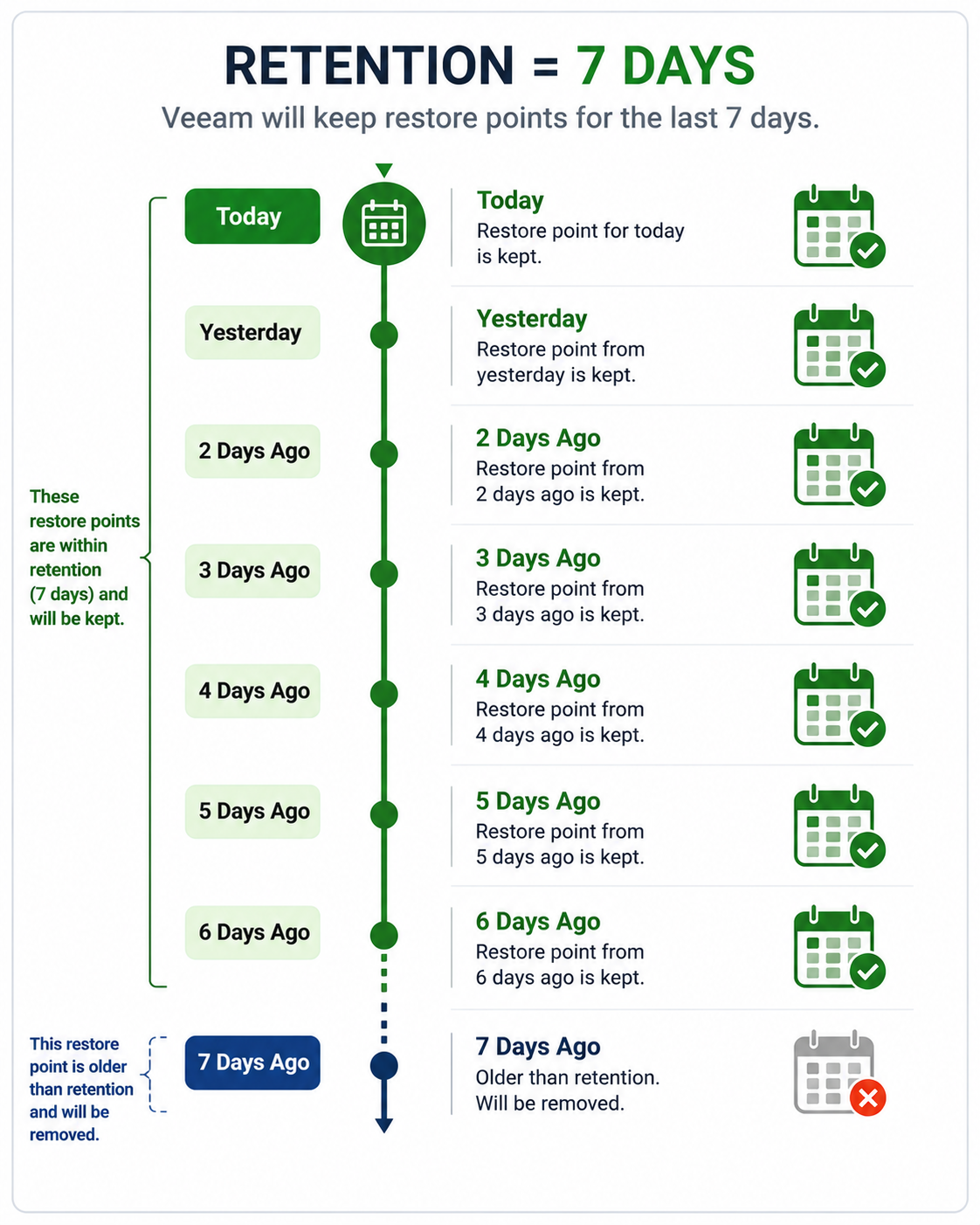
Why Do I Still See More Than 7 Days?
This is where things can get confusing.
If you're using a Forward Incremental backup chain, Veeam cannot simply delete the oldest restore point if doing so would break the chain.
For example:
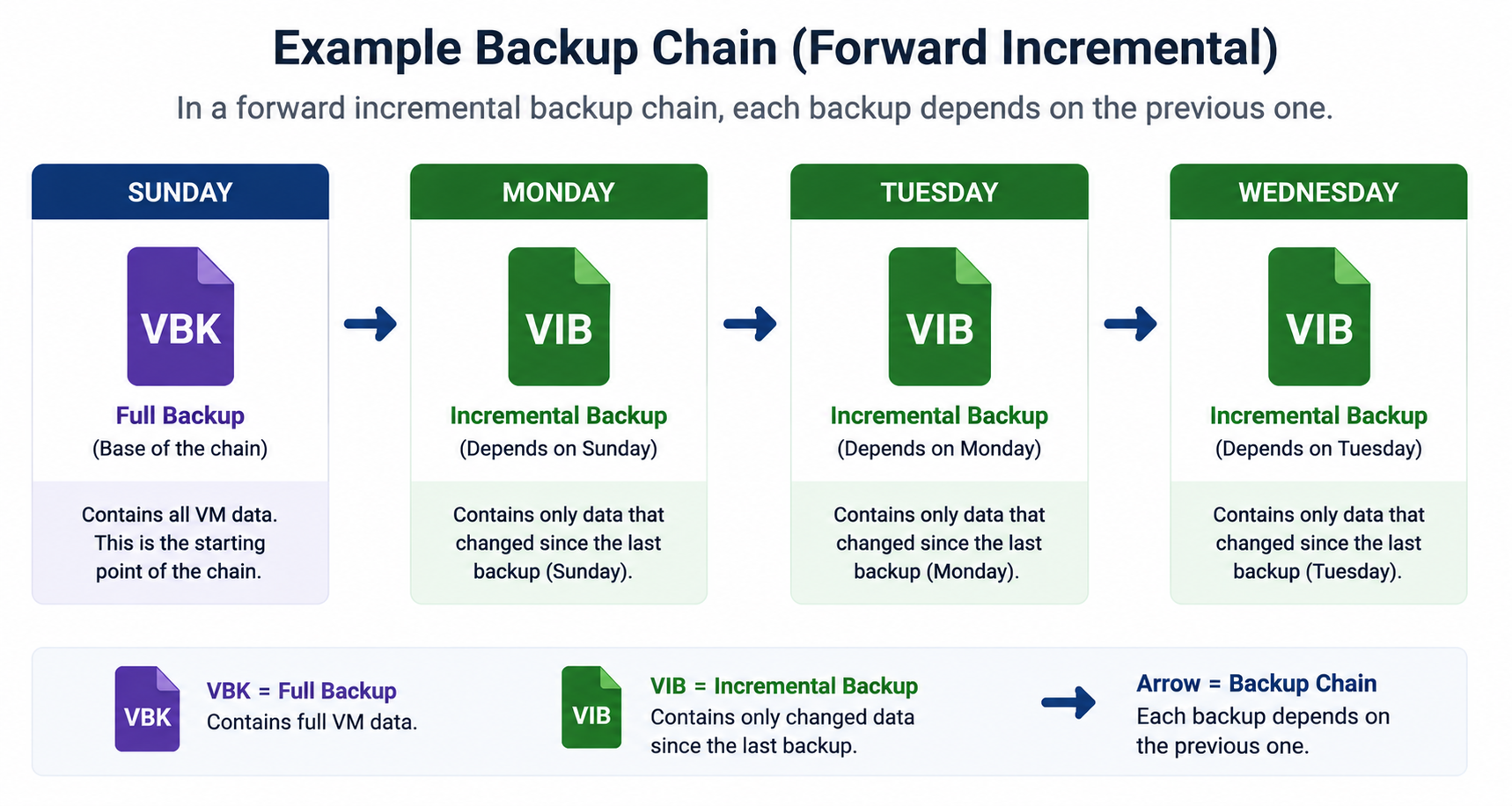
This means you may temporarily have more restore points on disk than the retention value you configured.
Example: 3-Day Retention
Imagine the backup job runs every day and retention is set to 3 days.
When the retention limit is reached, Veeam checks whether the old restore points can be safely removed without breaking the backup chain.
With Forward Incremental, the old full backup and its incremental files may remain until the newer full backup has established a new chain.
So: "Retention value not same with number of physical backup files in the repository"
That distinction is important when checking repository capacity.
Forever Forward Incremental
With Forever Forward Incremental, Veeam handles retention differently.
When the chain exceeds the configured retention, Veeam moves the full backup forward by incorporating data from the oldest incremental into the full backup. The redundant incremental is then removed.
Example:
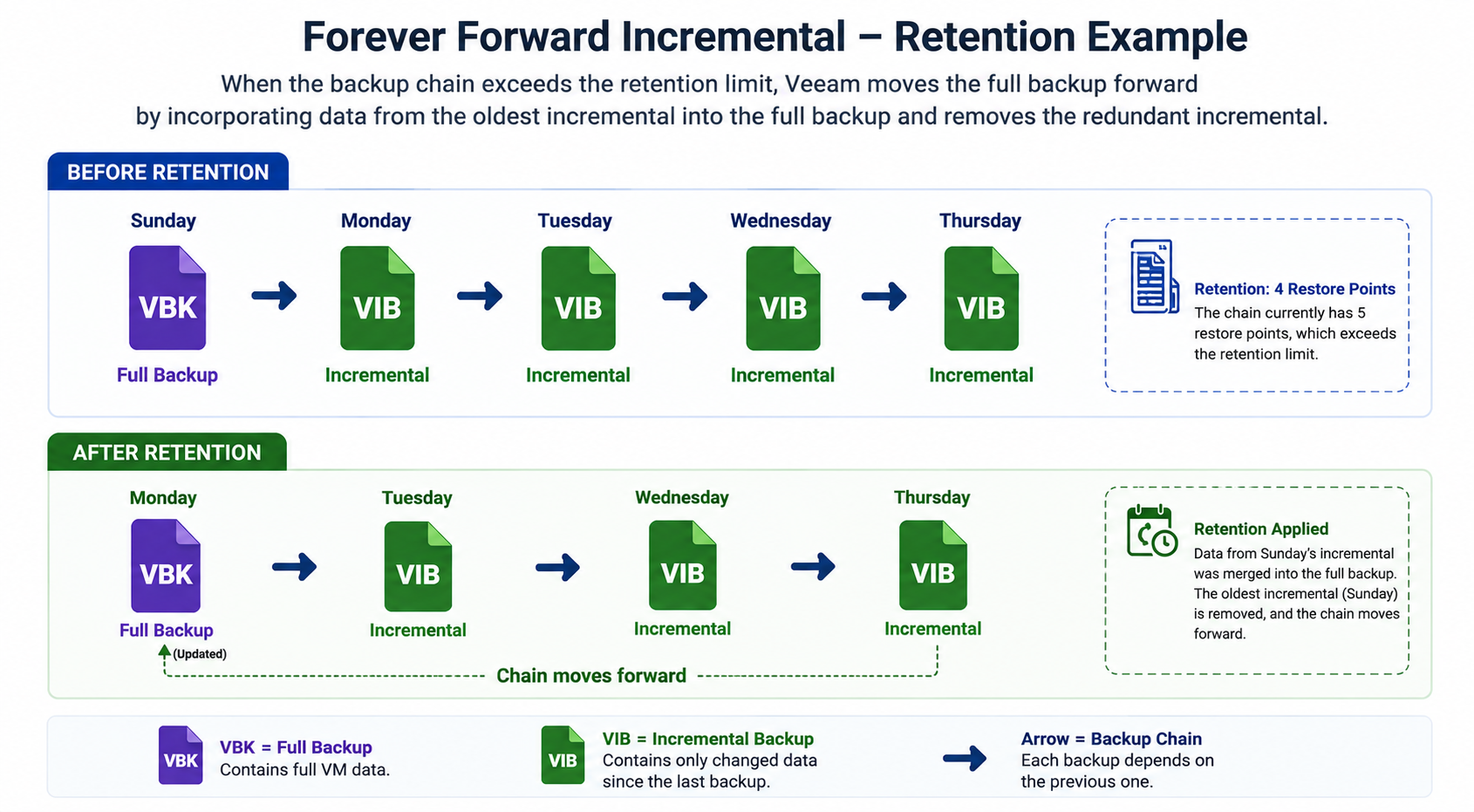
The result is a shorter chain while maintaining the required restore points.
Key Points
- Retention controls how long restore points are kept.
- Veeam does not always delete backup files immediately when the retention limit is reached.
- Forward Incremental chains may temporarily contain more restore points because the chain must remain usable.
- Forever Forward Incremental manages retention by moving data from older incrementals into the full backup.
- Retention behaviour depends on the backup method and chain structure.
Conclusion
Backup retention is more than simply telling Veeam "keep 7 backups." Veeam has to consider the structure and dependencies of the backup chain before removing older restore points.
Understanding how retention works helps explain why a repository may contain more backup data than expected and makes it easier to troubleshoot storage usage, backup chains, and restore points.