 ALKNETWORK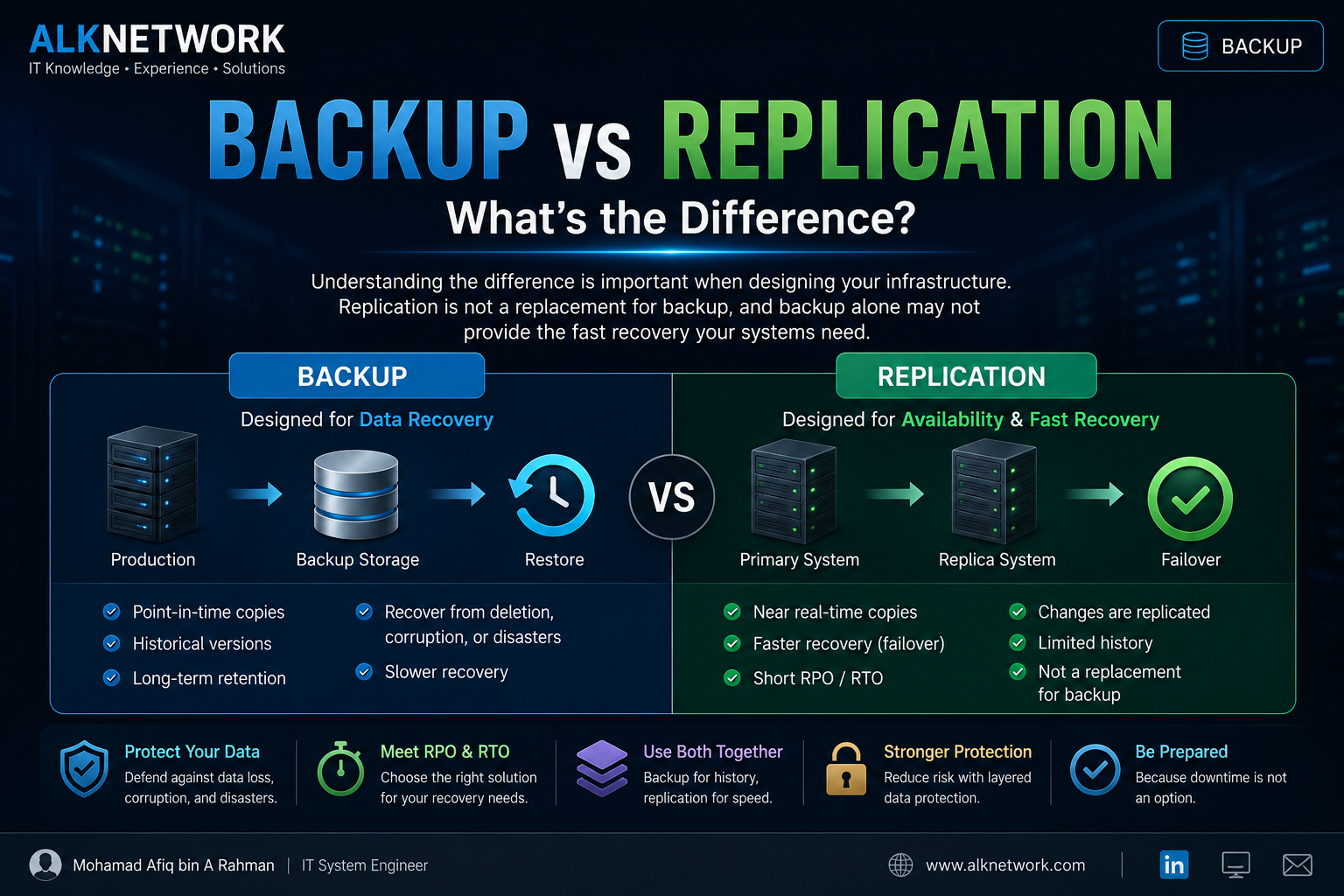
What is Backup?
A backup is a separate copy of data that can be used to restore the original data after it has been deleted, corrupted, damaged, or lost.
A simple backup workflow looks like this:
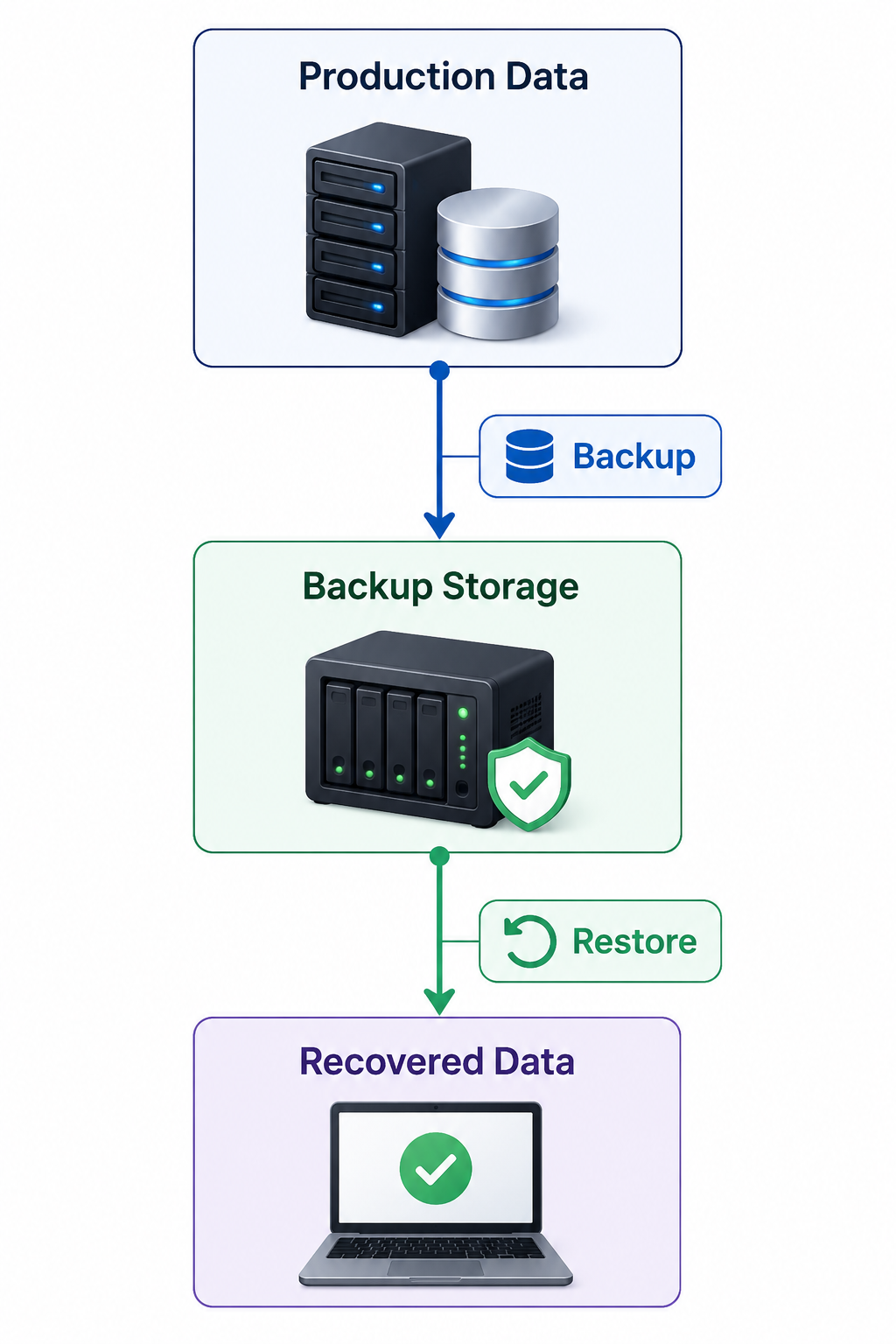
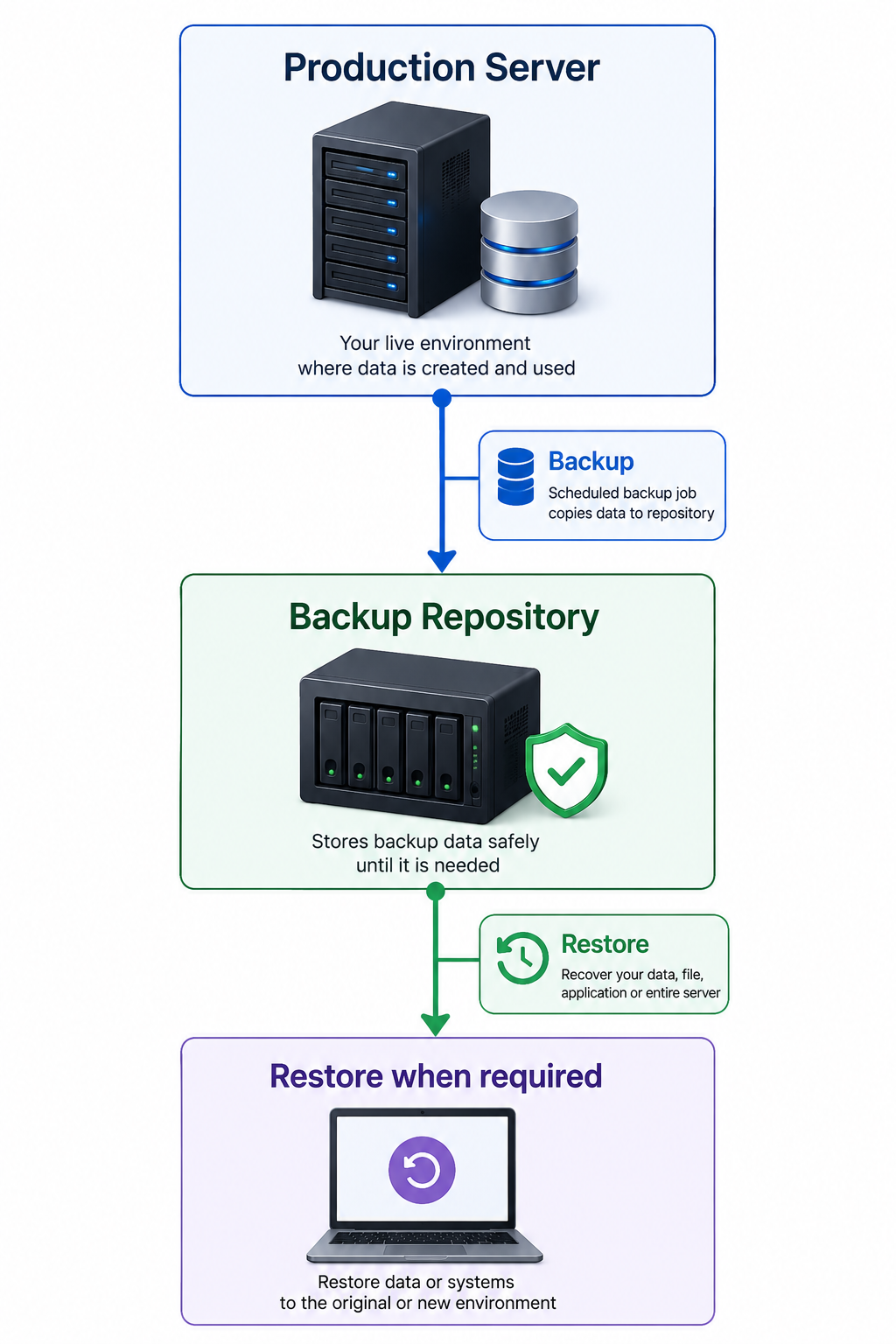
The main purpose of backup is recovery.
Common situations where backup is useful include:
- Accidental file deletion
- Data corruption
- Hardware failure
- Ransomware
- Human error
- Application problems
- Disaster recovery
What is Replication?
Replication creates and maintains a copy of a system or workload on another system, usually so that it can be brought online quickly if the primary system becomes unavailable.
A simple replication workflow:
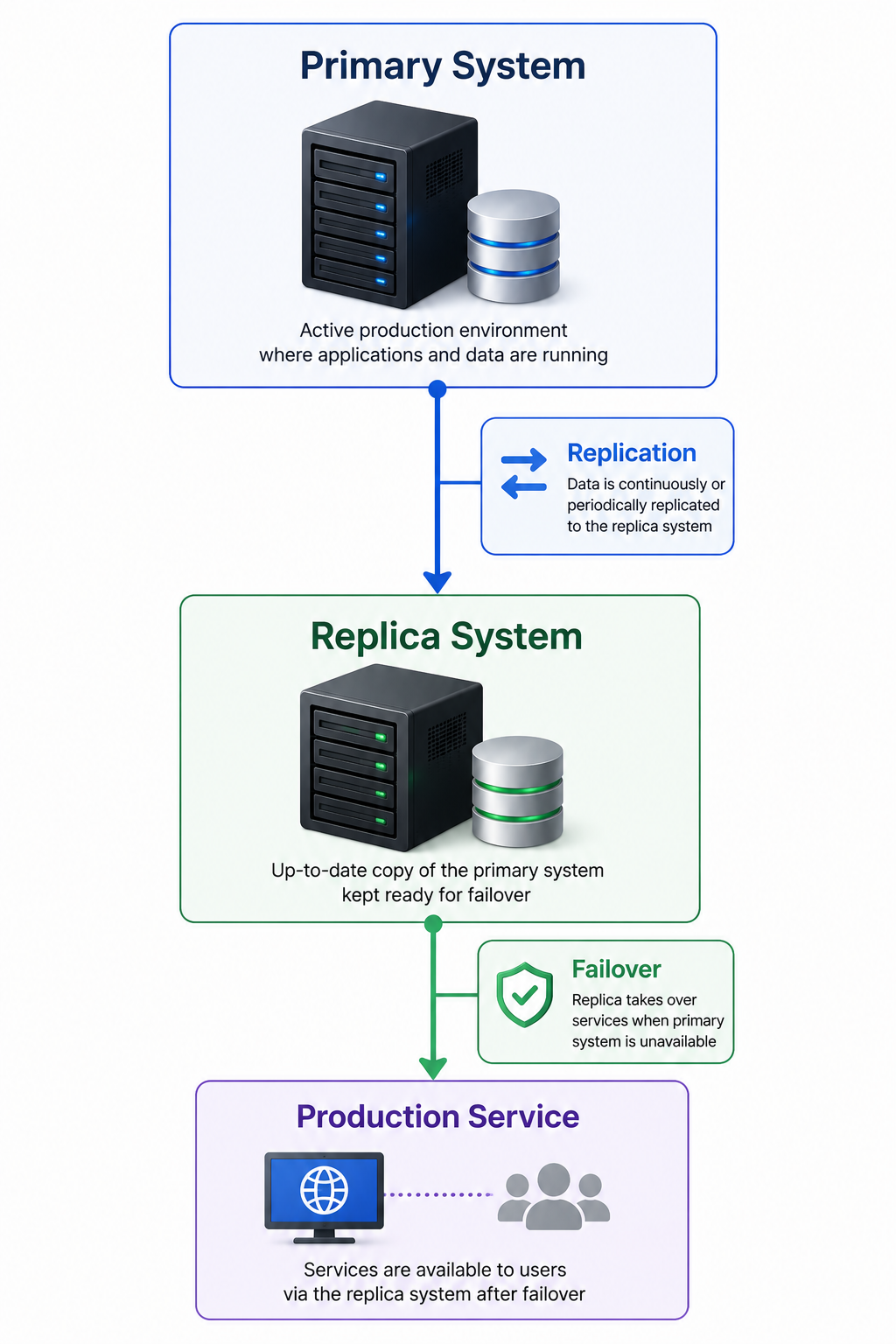
Unlike a traditional backup, the replica is generally intended to be ready for fast recovery or failover.
The main purpose of replication is availability and fast recovery.
Backup vs Replication
The easiest way to understand the difference is:
"Backup is primarily for restoring data. Replication is primarily for keeping services available."
| Backup | Replication | |
|---|---|---|
| Main purpose | Data recovery | Fast recovery / availability |
| Recovery method | Restore | Failover |
| Data copies | Point-in-time copies | Continuously or periodically replicated |
| Recovery speed | Usually slower | Usually faster |
| Historical versions | Yes | Usually limited |
| Protection from accidental deletion | Strong | Depends on configuration |
| Protection from ransomware | Strong when isolated/immutable | Requires additional protection |
| DR use | Yes | Yes |
| Long-term retention | Suitable | Generally not the main purpose |
Example: Accidental File Deletion
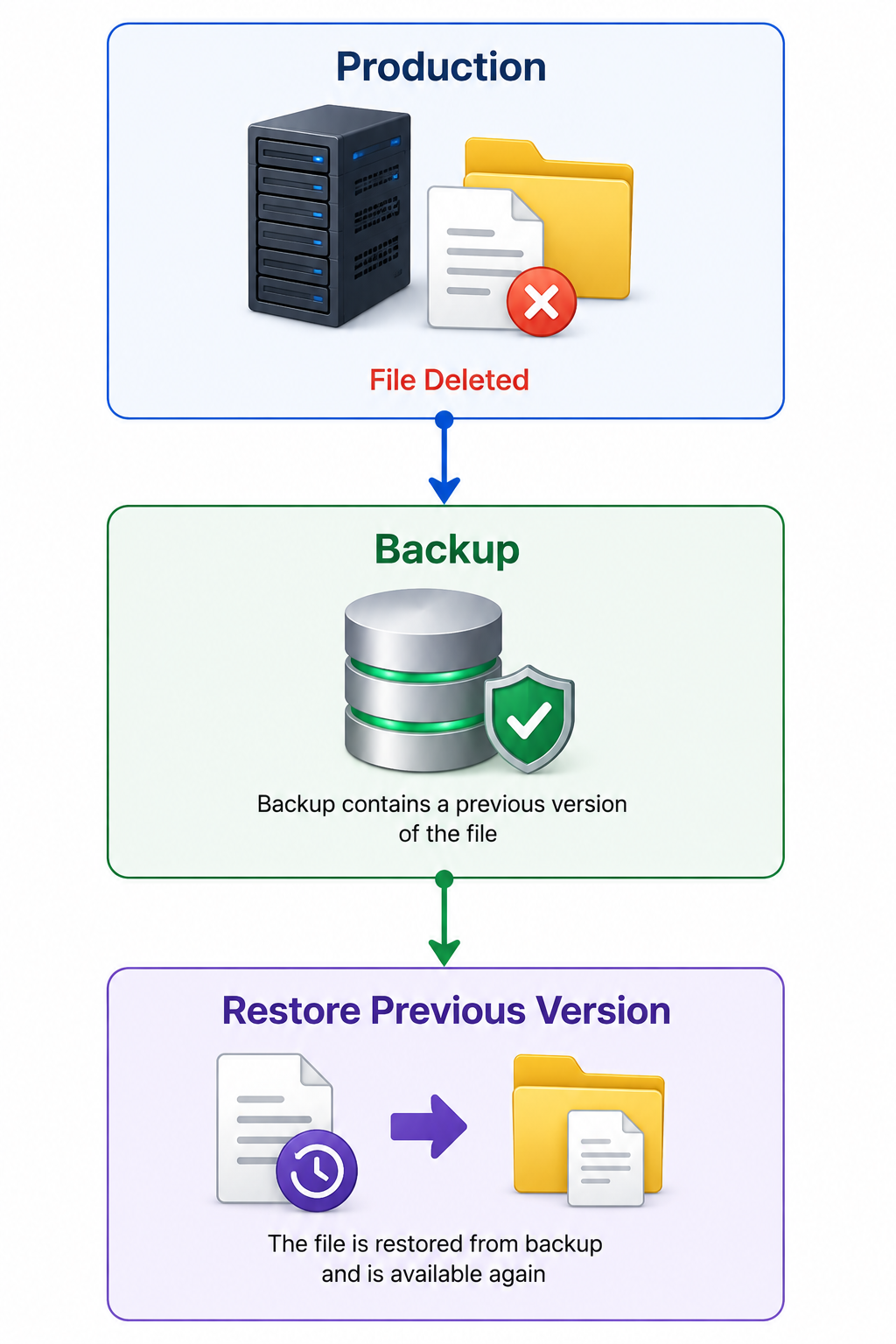
Imagine an employee accidentally deletes an important file.
With a backup:
Backup and Replication Can Work Together
The best approach is often not Backup vs Replication.
It is:
Backup + Replication
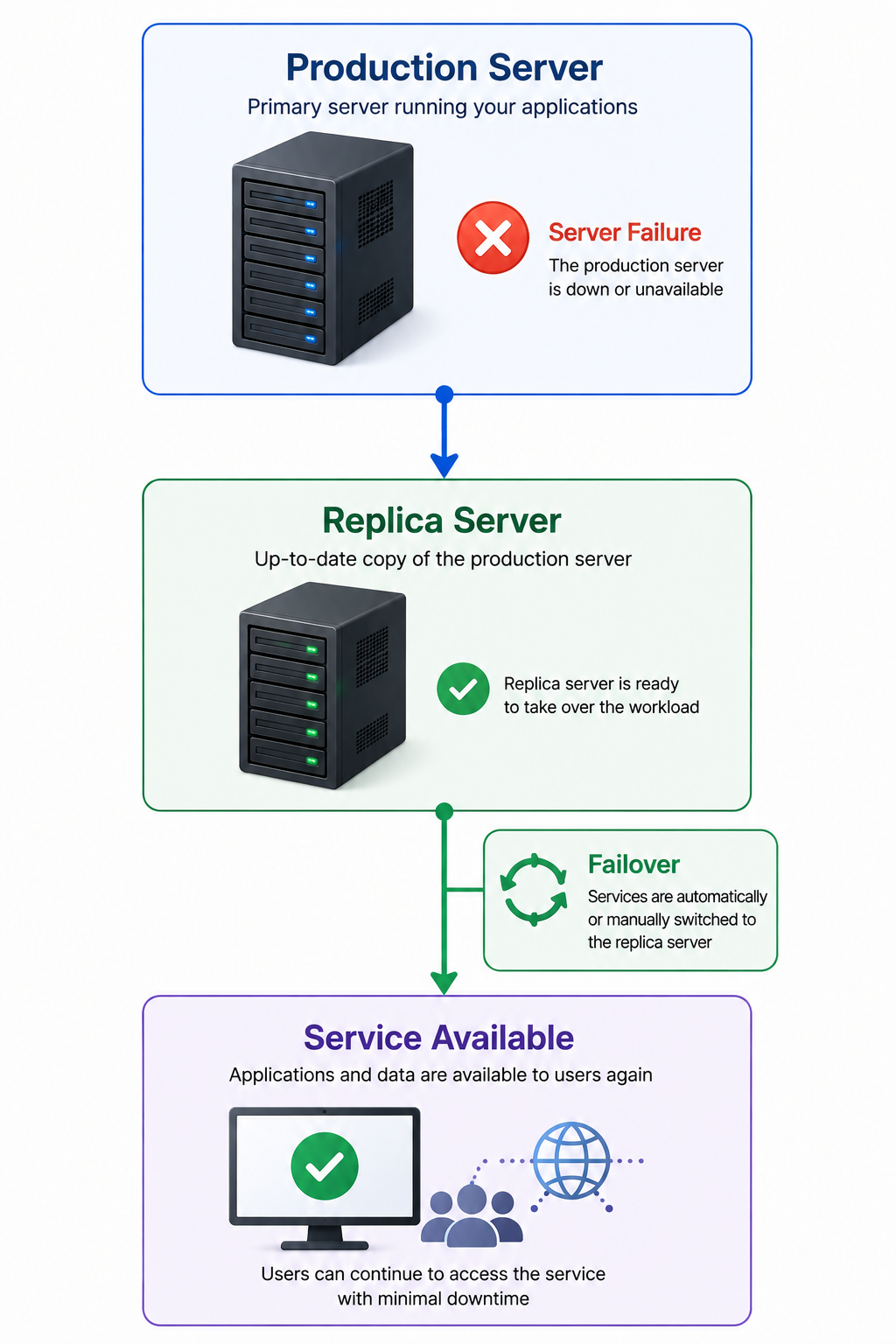
For example:
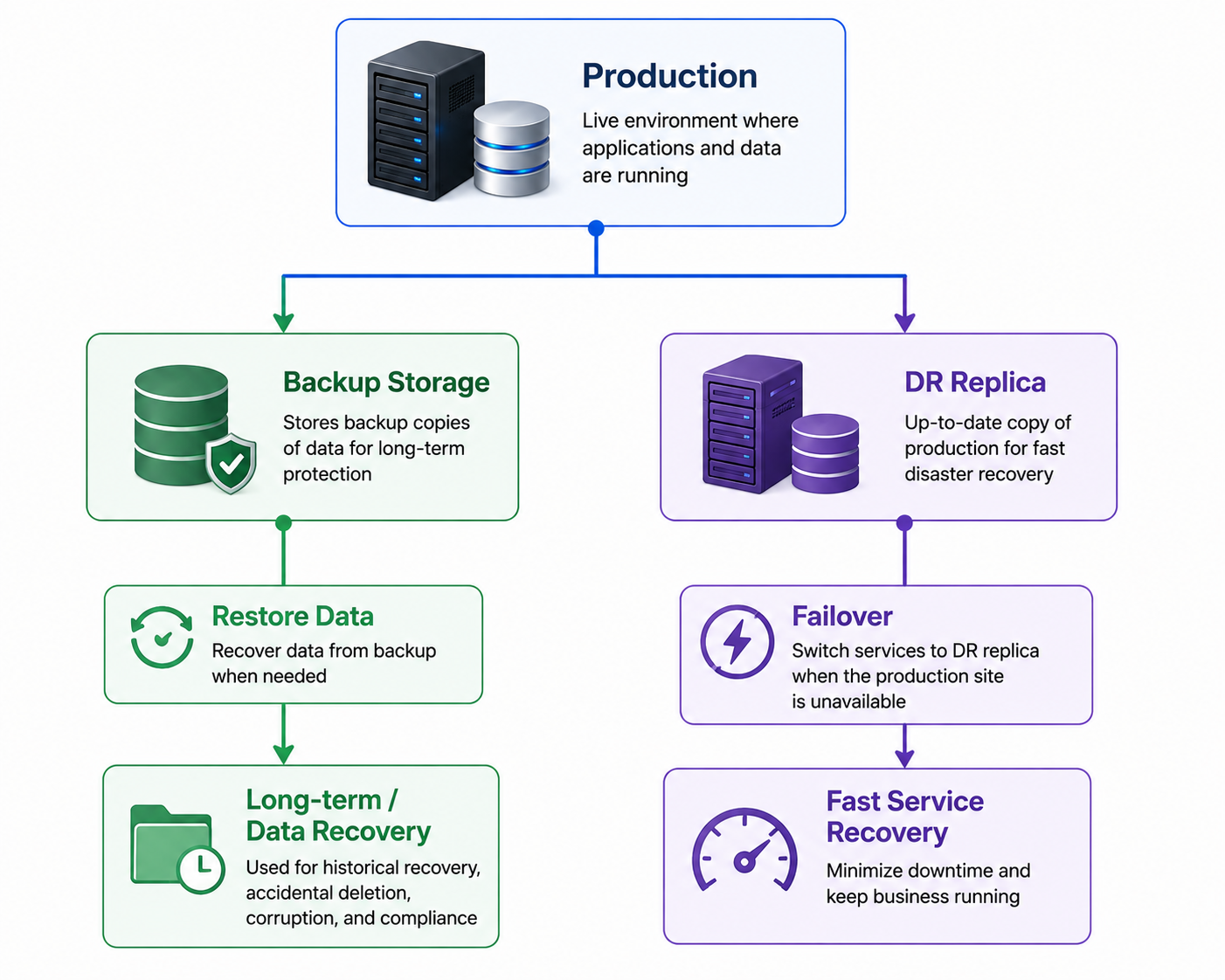
Each technology has a different role.
Backup provides historical recovery points.
Replication provides a faster recovery path when the primary system becomes unavailable.
Why Replication Is Not a Backup
A replica should not be considered your only backup.
There are several reasons:
1. Changes can be replicated
Corruption or accidental deletion may also be replicated.
2. Ransomware can affect replicas
If the replication environment is accessible from the same compromised environment, an attacker may be able to affect the replica.
3. Historical recovery may be limited
Replication normally focuses on maintaining a current or near-current copy.
Backup provides multiple restore points that allow you to go further back in time.
4. Infrastructure failures can affect both
If the primary and replica depend on the same underlying infrastructure, a common failure can potentially affect both.
A Practical Example
For a critical production application:
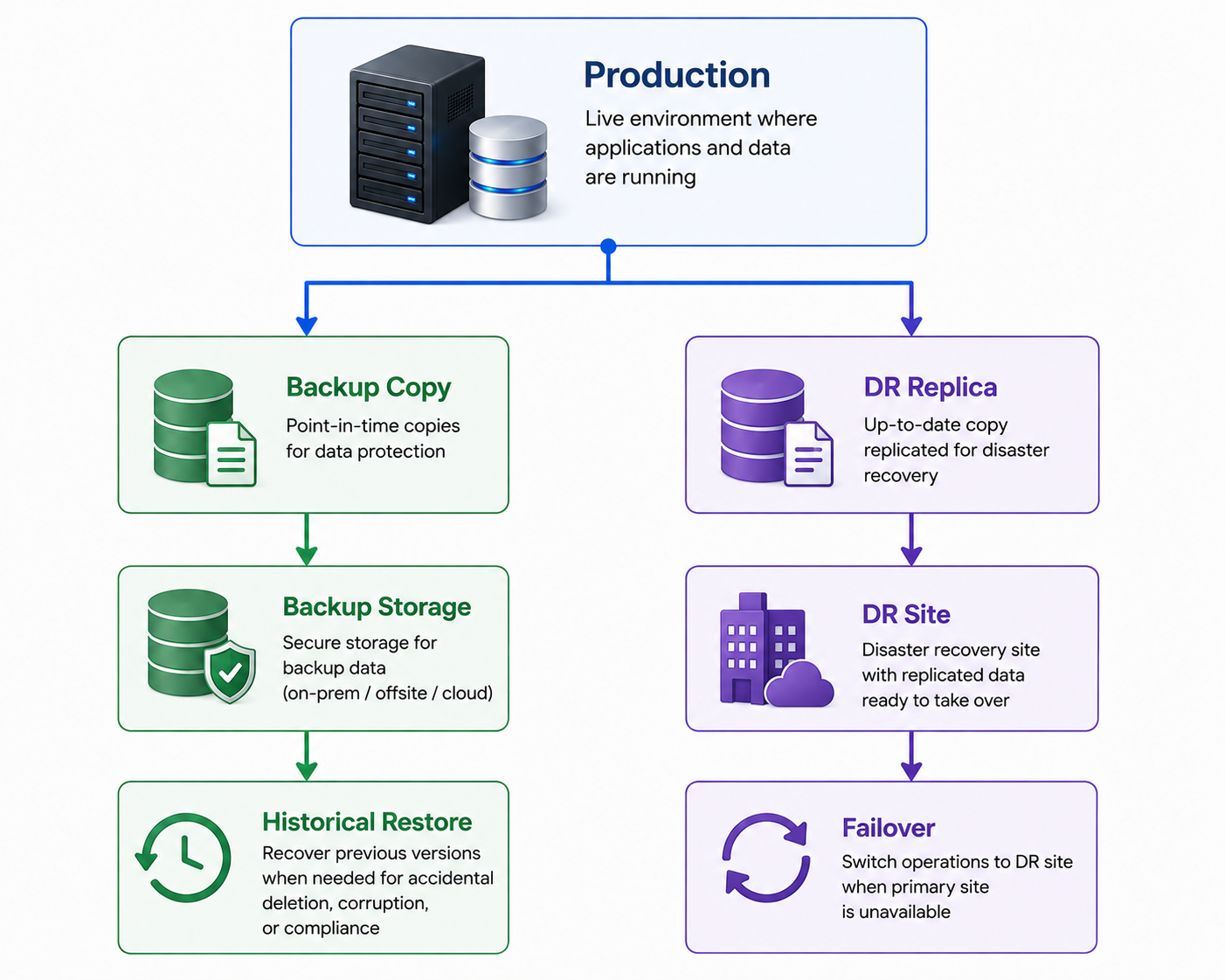
The organization can use:
- Backup for accidental deletion and historical recovery
- Replication for rapid recovery from infrastructure failure
- Offsite backup for site-level disaster
- Immutable/offline backup for additional ransomware protection
This creates multiple recovery options instead of depending on a single technology.
When Should You Use Backup or Replication?
Use Backup when:
- You need historical restore points
- You need long-term retention
- You need protection against accidental deletion
- You need protection against data corruption
- You need ransomware recovery
- You need an offsite or immutable copy
Use Replication when:
- The application has a short RTO
- Fast failover is important
- The business cannot tolerate long downtime
- A DR site is available
- Near-real-time or frequent recovery points are required
Use Both when:
The system is business-critical and requires both fast recovery and reliable historical recovery.
Key Points
- Backup and replication are not the same.
- Backup focuses primarily on data recovery.
- Replication focuses primarily on availability and fast recovery.
- Replication can replicate unwanted changes such as corruption or deletion.
- Backup provides historical restore points.
- Replication can help achieve a much shorter RTO.
- Critical systems may benefit from using both backup and replication.
- Replication should not be treated as a replacement for a proper backup strategy.